Communicate Success With an IT Initiatives Portfolio

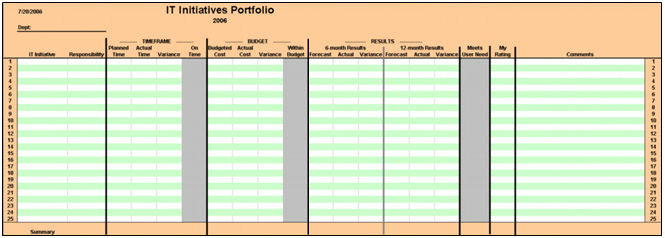
I delivered another webinar class this morning for a few IT managers in Slovenia and Croatia. The topic – Communicate Success With an IT Initiatives Portfolio.

I’m not sure when I developed this tool but as I mentioned to this group of managers, “This tool may have done more for me in my career than any tool I created.”

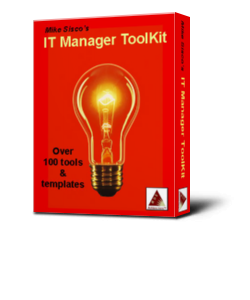
The IT Initiatives Portfolio is one of over 100 IT manager tools and templates in my IT Manager ToolKit.

The class only took about 30 minutes and I gave the students a great tool to track and communicate their project initiative performance.

To achieve success, you have to establish credibility and much of IT credibility comes with delivering projects successfully. This tool gives you a simple and easy way to quantify, measure, and communicate your project success in key areas:

  • On time
  • Within budget
  • Benefits achieved
  • Meet client needs
  • Overall success

If you are interested in this tool,, ,

CLICK HERE  to download the IT Initiatives Portfolio tool now.

CLICK HERE to view the 20 Minute IT Manager flash session to learn more about this tool and how to use it.

Practical IT Manager GOLD Series – Pre-launch offer

We are in major transition mode here at MDE Enterprises, so I thought it would be the perfect time to announce a new product to my Practical IT Manager Newsletter and ITLever readers, , , 

, , , and make you a very special offer, , , never offered before and never again.

Yes, we are upgrading our entire MDE infrastructure:

  • New web sites
  • New IT Manager Store
  • New products
  • New training services

WHY?

I just completed a major rewrite of my first ten books and we have needed to update our web sites for a while. So, , , we are taking the opportunity to completely renovate our web sites, shopping cart, and order fulfillment infrastructure using a WordPress foundation.

We will also be adding entirely new products and services soon.

I took most of 2011 off to focus on the “books rewrite project” and to do some things that will position our company for new product offerings and a renewed training focus for 2012 that will allow us to reach many more IT managers around the world.

Very soon you will start seeing announcements for new books, tools, training, , , and more like you have never seen from our company.

Here is the first offer and it is a significant one, , , and only available to our Practical IT Manager Newsletter subscribers and ITLever readers for a very limited time.

SPECIAL “pre-launch” offer

 Practical IT Manager GOLD Series

My first ten eBooks completely rewritten plus the IT Manager ToolKit containing over 100 updated IT manager tools and templates.

It took me over a year to rewrite my first 10 books, , , and they are completely rewritten, not just a few cosmetic changes I initially thought I could do. The IT Manager ToolKit tools are also updated.

UNPRECEDENTED Pre-Launch OFFER

1 week only thru Oct. 31, 2011

This bundle has a retail value of $474.50 purchased separately and
will sell bundled for $279.00 on our new web sites.

See our progress at www.itmanagerinstitute

Sorry, our pre-launch offer ended October 31, 2011

Current price
279.00


Here is what you will receive:

A.  Ten new ebooks (all have been completely rewritten):
–  IT Management-101: fundamentals to achieve more
–  IT Due Diligence: merger and acquisition discovery process
–  IT Strategy: align your IT vision for business value
–  IT Organization: right-size your organization for success
–  IT Staff Motivation and Development: build a world class team
–  IT Budgeting: operational and capital budgeting made easy
–  IT Project Management: a practical approach
–  IT Asset Management: tracking technology assets
–  IT Assimilation: consolidating redundant technologies
–  What To Look For in a CIO: get more value from your IT investment

B.  IT Manager ToolKit (revised and updated):
102 tools and templates to help you in virtually every aspect of managing technology resources. Tools come with instruction and samples. Tools may be used “as is” or customized to meet your specific needs.

Career planning webinar held for Slovenia and Croatia managers

I held a 1-hour webinar class on career planning for a group of IT managers in Slovenia and Croatia last week. Career planning is one of my favorite topics primarily because I enjoy working with people so much and helping them advance their career.

Your IT employees want and need career planning help. You may need it as well.

One of the most enjoyable things about IT management (in my opinion) is when you work with someone and see their career develop. It is great to see your employees grow and to be able to achieve more in their life, especially when you have a small part in helping them.

I have delivered several webinar presentations now and trying to get a feel for using this format to deliver IT manager training much more in the future.

On my side, I’m trying to get more comfortable and not feel as though I’m rushing the presentation. It’s a matter of gaining a bit more experience in a virtual classroom setting as opposed to a real class with people I can see and interact with.

We have another virtual webinar class planned for this Thursday so I’m excited about meeting with more managers from Europe.

I plan to offer a significant amount of webinar training in 2012 so anyone in the world can attend some of my IT manager training programs. It will also allow me to deliver more IT manager training than ever before. I’m very excited about it.

Let me know if this is of interest by answering the poll below:

If it isn’t broken, , , don’t fix it

Don’t you love those “little IT jobs” that are supposed to take 15-20 minutes and then after 3 or 4 hours you still haven’t achieved your objective?

The answer is “NO!”

Yesterday afternoon after returning from our Camp Liberty I decided to install a new wireless router for my office. My plan was to install this new Linksys router for faster Internet access and then give my old router to an Aunt when I set her up a wireless network in her home later in the week.

My old router works fine, , , and Internet access is smooth and always works plus my wireless printer works well from all devices, , , a desktop, two laptops, an iPad and an HP TouchPad, , , nothing is wrong with the network I had in place, just thought the faster Internet access might be good.

I should have known better.

Installed the router easily and got Internet access immediately. So far so good, , , feeling pretty good about this project, but there is always something, , , right?

Internet access works fine from all devices.

However, I could not print using the wireless printer. The printer finds the router but there is a problem somewhere between the router and printer. Switch the old router back in and printing fine.

However, now I can’t print from my iPad or TouchPad, , , can’t seem to find the printer. Initially, I could not print from anything but finally resolved the print issue from the laptops.

It’s not a big deal that we can’t print from the iPad or TouchPad, but it’s a nuisance that I can’t get out of my head so I’ll probably spend more time troubleshooting, , , something I don’t need to be spending time on .

20 minutes went into over 3 hours last night trying different things, Googling key word phrases to seek out the answer, , , even tying in a usb cable from the router to the printer. Could not get back to where everything works like it did.

The lesson for an IT manager is that good intentions do not always lead to positive results immediately, , , so think through those key improvements you think is needed for your company.

Granted, I’m not the most technical person, , , I’m capable of focusing and managing technology resources but not very good in actually doing the technical work any longer.

Plus, I’m sure the fix to my wireless printing problem is going to be pretty simple when I finally solve the problem, , , the frustration is that I just don’t need this kind of headache right now, , , your clients and users feel the same way when something goes wrong in their business operation.

So back to my point:

If it isn’t broken, , , don’t fix it!

And one last point, , , I didn’t really feel like I needed faster Internet access, , , what I had worked fine and with the new Lenovo laptop it is already faster. I just thought, , , “it would be nice to have”.

My simple system migration steps

In a recent post I wrote about how I decided to replace my office desktop with a laptop. If you recall, I put this project off as long as I could because I dreaded the conversion effort.

The great news is that the conversion was not as much of a pain as I thought it would be, , , so thought I would share what I did. The other good news is that I really like my new office setup.

What I did not tell you is that I completely renovated my home office where I hang out and do much of my work. When I say “renovate”, this means I took my complete office apart and put it all back together again in order to replace carpet with hardwood floors.

I was dreading this project so much, , , but once started I essentially rebuilt my office, , , did some rearranging to give me more desk space. Maybe I will share this part in a later post. If you spend as much time in front of your PC as I do it is important to make your environment functional and comfortable.

Back to my office computer system upgrade project, , ,

There were several things I wanted to accomplish in setting up my new office computing environment. I’ve managed to do most of it in a reasonably short amount of time and relatively easy process.

My goals were to create a highly functional computing environment:

  • Simpler to manage
  • More portable
  • Able to create a “battleship console” environment with several monitors
  • Access all my personal data files from my old desktop
  • Access saved email messages from my old desktop
  • Use my wireless printer and other peripherals (scanner, etc.)
  • Upgrade to current OS and Microsoft Office applications
  • Transport several key software applications I use every day
  • More power, , , more speed, , , stability and reliability

Here are the steps I went through:

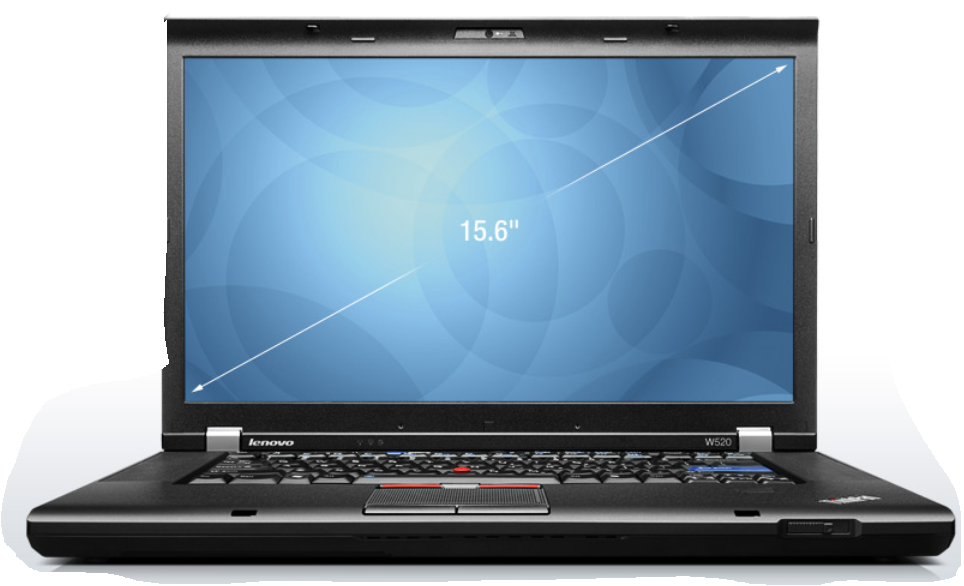
  1. Purchased a Lenovo ThinkPad W520 laptop with Windows 7 and Microsoft Office 2010 preloaded.
  2. Setup the laptop, , , pretty much as simple as taking it out of the box and plugging it in.
  3. Setup e-mail and accessed my wireless router, , , very simple as long as you know the information like passwords, WEP key, etc.
  4. Activated MS Office 2010, , , part of the setup prompts.
  5. Added my wireless printer/copier/fax to the Lenovo laptop and tested printing, , , piece of cake since the Lenovo found the printer automatically.
  6. Copied my personal files from my Dell desktop to a USB backup drive. To give you an idea of how old this desktop was, it took 21 hours (YES, , , 21 HOURS) to copy 46GB of personal files.
  7. Copied my Outlook .pst file to the USB backup drive, , , another 1.5 hours to do this.
  8. Uploaded the personal files to the new Lenovo system, , , a total of 30 minutes, , , WOW, , , already impressed. A key thing I did with this step was to set up an “archive directory” in my C-Drive file structure. Over time your file folders and structure gets a bit convoluted or messy, , , with the new file folders separated from the old files folders, I can simplify my file storage architecture but still retrieve old files when needed. It also allows me to only worry about backing up the newer files created since I now have multiple copies of all the files that were on the Dell system.
  9. Uploaded the Outlook .pst file to the Lenovo, , , 2 or 3 minutes. I also kept this .pst file as a separate Outlook file and now I can access both new email message activity “post conversion” and old email activity “pre-conversion”. Keeping these two files separate allows me to reorganize and simplify new messages but still retrieve the old messages when needed, , , all from the same Outlook screen.
  10. Created a “Mike Window”. This is a user window I use to place icons of all the software programs I use, , , it is always open and makes it easy to launch a new program when I need to.
  11. Loaded the key programs I use onto the Lenovo and added their icons to my “Mike Window”. Click on the image for a better look. At this point, I’ve only added the essential programs I use, , , more will be added as needed.
  12. Added my professional microphone and audio software to the Lenovo.
  13. Added my scanner to the Lenovo.

What is really neat is being able to access both new files or email messages as well as any of the older files or email messages even though I keep them separated, , , see steps 8 and 9.

The conversion took me about 2 days to do it all, but 21 hours was in copying personal files and folders to a USB drive. I also took my time and gave some thought about how I want to operate and how I want to access new and old data.

I’m extremely pleased with the new setup and think it is going to improve my productivity quite a lot.

New announcement coming

I’ve been working hard to introduce more training for IT managers around the world, and I’m almost positioned to do so. I’ve had a few major projects underway for most of this year, , , especially in the last 3 months and it is why you have seen a little less of me on ITLever recently.

We are about to make several new announcements in regards to products and services in the IT management space. 2012 is going to be our very best year and I’ve been hard at work developing the pieces required to help us achieve it.

There is something for everyone interested in improving IT management skills and achieving more success.

Stay tuned for major announcements in a few weeks and look for even more from us in 2012.

My business computer upgrade choice

I have been needing to upgrade my office desktop for some time, , , I’m ashamed to tell you how old it is. The problem was everything worked and my philosophy of “If it ain’t broke, , , don’t fix it.”

Please excuse my southern heritage slang, , , “ain’t” is proper English in Tennessee and surrounding states.

The other problem was I dreaded, , , literally DREADED the thought of going through a system conversion. What a pain!

Then it hit me, , , my whole business is on this system , , , I can’t afford for this old server to conk out on me, , , better do something before it is too late. I already knew I had used my Dell desktop much longer than I should have.

What to do, , , time to decide what I need in my office, and what I want.

Here is what I decided from a non-technical point of view:

  • Fast processing speed with multiple programs running simultaneously
  • Large disk capacity
  • Multiple USB ports
  • Good handling of graphics, , , I use lots of graphics in my business
  • Multiple monitor capability, , , a “battle station console” for the challenging work I do
  • Microsoft Office 2010 (now is the time to upgrade)
  • An operating system that works (hated VISTA)
  • My personal data files from my DELL desktop
  • My Outlook file from my DELL desktop
  • Several software products loaded onto my DELL desktop
  • Easy setup and portability

I’ve been thinking through these issues for some time and the conclusion I came up with is that I need to replace my very reliable DELL desktop (which was a race horse when I bought it, but a snail today) with a robust laptop.

I don’t really plan to take this laptop on long trips to Dubai or Africa, but I do plan to take it to our Camp Liberty when we decide to spend a week or two down on the Buffalo River, , , we also call this “MDE West”. I have a satellite dish for Internet connection so I can work just as well down there as I can here in my office. It will be so much better being able to have my entire office with me when we are at the camp.

This means I need a very reliable laptop and one with a reasonably big screen.
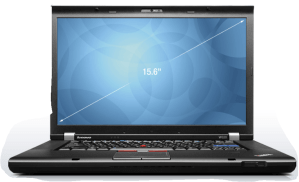
My choice – a Lenovo ThinkPad W520.

I just completed the conversion last night and have been using my new “office laptop server” for a couple of days. VERY IMPRESSED !!

In my next post, I’ll outline the steps I took to completely migrate to my new system, , , it was much less hassle than I thought it would be and could not be happier with my setup.
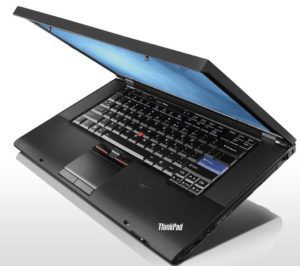
The main reason I went with Lenovo is because I have had a Lenovo X60s for several years. I take it everywhere with me so it has probably logged well over 100,000 miles and has stood up to the travel test admirably. I like the small footprint of the X60s and the light weight for travel.

I find Lenovo laptops to be built sturdy and capable of handling true travel bumps and knocks you go through, , , I have had problems with two other popular brands over the years, , , disk problems and external power connection issues. No issues of any kind with my Lenovo X60s, , , “knock on wood”.

For my office, I need something a bit more robust than the X60s. The only major downside of the X60s is that it came with VISTA (have hated VISTA the whole time, but not enough to replace it) and isn’t powerful enough to be a true desktop replacement.

My initial thoughts of the new Lenovo W520 laptop:

  • Fast, , , especially compared to my Dell desktop
  • Screen is bright, sufficient size, and HD clear
  • Keyboard is one of the best in the industry, although I’ll use a full size wireless keyboard and mouse most of the time
  • 3 USB ports and two are USB 3.0 plus all are easy to get to
  • Multiple monitor capability
  • I’m liking Windows 7
  • Plenty of disk capacity with 500GB plus another 500GB on an external hard drive
  • Setup is easier than what I remember with my Dell desktop simply because of the weight, access to monitor port, etc. There is much to be said about “portability”.
  • Feels like a genuine desktop type of power
  • Did I say it is “FAST”? I spent a little extra money because this is for my office and business, , , felt the extra power and speed was worth the cost. So far, very glad I did, , , if only I could type faster.

I still have a few things to do to get my office computing environment completely where I want it but the “heavy lifting is completed”. Next steps are:

  • Order the docking station and a new 21″ monitor
  • Setup my “battle station console” with three monitors

In my next post, I’ll walk you through the migration steps I took to get fully functional with “what I had” plus the “new environment” I want for our MDE Enterprises office environment.

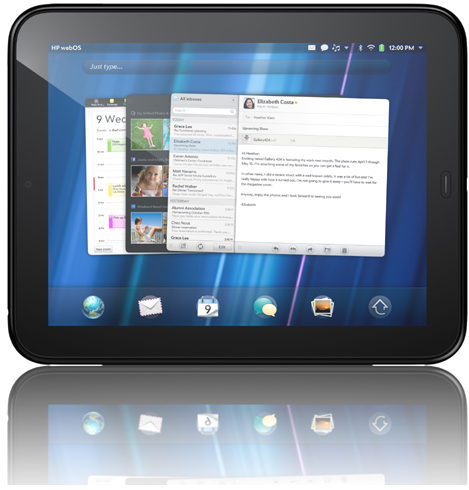
My new HP TouchPad

I was about to order new Apple iPads for us when Chris Beck, one of my IT Manager Institute graduates showed me his HP TouchPad, , , I was impressed.

Was very impressed when we watched one of my IT Manager Institute Self Study sessions at the restaurant, , , you see the iPad does not support flash.

Setup was quick and easy, , , even e-mail was a snap and just a couple of minutes, , , simple, quick, and no glitches, , , gotta love it.

I’m writing this post from my TouchPad. This is another major benefit I can see. I really haven’t been all that interested in purchasing a “pad” of any kind, but my brother and other friends of ours rave about their iPad. Didn’t like the fact it does not support flash, but was about to succumb to the fact there is some real benefit or people I know and trust would not be so high on this technology.

What’s interesting is that the HP TouchPad has been discontinued after only a few months. I purchased mine (a 32GB version) on Amazon for $275.00, , , a great deal for my needs. I just saw one on eBay listed for over $600.00. The 32GB Apple iPad is $599.00.

I ordered iPads for my wife and son so we will compare, , , from what I see so far, setup is much easier on the TouchPad.

So far, I’m very happy with my new TouchPad and sure glad I discovered it.

Thanks for the info Chris.

A visit to the Parthenon

Nashville is known as the “Athens of the South” because of the many colleges and universities plus an exact replica of the Greek Parthenon.

Last week one of my IT Manager Institute students stayed over for a few days so I took him to downtown Nashville and a tour of Centennial Park. Here are a couple of photos of James Kizza and the Parthenon.

James traveled all the way from Uganda to attend the program. One of the interesting things I discovered is that he knows and has met one of my students from Tanzania, , , small world.

James ate dinner one night with my family and our closest friends plus my “2nd Mom”, , , it was his first experience with Mexican food. He seemed to like it and we all had a great time.

Do you understand your business trends?

Are you watching the trends in your business?

Do you understand why the trends occur?

If not, you need to start paying close attention to the business trends of your IT support business. Let’s discuss just a couple of areas you should monitor on a monthly basis.

A.  Help Desk trends:
Simple things can indicate changes in your business that you need to pay attention to. For example, if the number of support calls is on a steady increase it means you will need additional Help Desk staff at some point in time unless you are able to increase your existing staff’s productivity.

Not only that, you may need additional support techs in the areas where the calls are increasing.

Do you know the cause of a Help Desk call spike? Let’s say the number of calls is averaging 500 calls per month and it spikes to 1000 calls followed by 800 calls for a two-month period and then settles back down to around 500 calls per month again.

What caused this spike?

If you don’t know, you need to find out because something occurred to cause this spike in support calls. There is a direct cause and effect relationship somewhere.

Maybe it is because your organization delivered a new software release, , , maybe you just obtained a new set of clients. There is a reason and you need to understand what makes your business operation fluctuate.

B. Financial trends
You need to monitor the financial trends of your IT organization, , , especially the 8 to 10 largest IT expense categories you have.

Do you know why IT salary is increasing or decreasing?

What’s causing your telecommunications expense to increase or decrease?

What caused the spike in hardware maintenance?

It’s wise to monitor these larger expense categories and be able to explain why you have material trends that increase or decrease. You might get a question from your CEO or CFO so it helps to be prepared.

Expenses can also have spikes. A spike increase in hardware maintenance might be for an annual hardware payment, , , and it could be significant. If you aren’t aware of these spikes when you budget you are going to have a difficult time in developing an appropriate budget.

Trends point the way, , , they indicate where your business is headed so pay attention to your business dynamics.

Strong managers understand the dynamics of their business and can explain why something is trending up or down and whether this trend is positive or negative.

Do you know what’s going on in your business?