Tag Archives: it manager

Big Benefits by Communicating Annual IT Accomplishments

successful trendYour IT employees need encouragement and reinforcement in the good they are doing and what they are accomplishing. If their IT manager doesn’t make a point to do this, no one will know how much they are doing for your company.

Let me tell you a story from my early years of managing IT.

It was January and I was preparing to hold an Annual Kickoff Meeting for my IT organization. When I worked for IBM several years prior we always held an annual Kickoff Meeting to “energize the troops”, discuss the coming year’s strategies, and to give out a few awards. Our Jackson, Mississippi office combined with the Little Rock, Arkansas and Memphis, Tennessee offices to do this. It was great for building teamwork, getting everyone on the same page for the new year, , , and having some fun. At IBM in those days, we “worked hard and played hard”.

I knew from experience holding an Annual Kickoff Meeting for my IT staff would be a positive motivator. I also knew I would need some things to help me make it a success.

One of the key parts of a successful Kickoff Meeting is recognizing past year accomplishments. So, I began listing the accomplishments our IT organization achieved in the previous year.

I went through monthly reports, looked at my calendar for the prior year, and even reviewed my Notes Log that I maintain in a journal/notebook.

When I completed this exercise, I was shocked!

We had achieved so much more than I realized we had, , , significantly more. I remembered most of the recent projects and accomplishments but had forgotten about many that had taken place six or more months ago.

This made me think, “If I (the manager) don’t fully realize or remember how much we accomplished, it is fairly certain the staff doesn’t either, , , and guess what, our clients definitely won’t realize it.”

It is the manager’s job to help insure clients and staff know how much your team is getting accomplished. If you don’t make this a priority I can guarantee they won’t know and your IT organization will be “under-appreciated”.

It was at this point I decided to track our accomplishments every year so I could keep our clients and staff “in the loop” about how much we get done and the value IT contributes to our company.

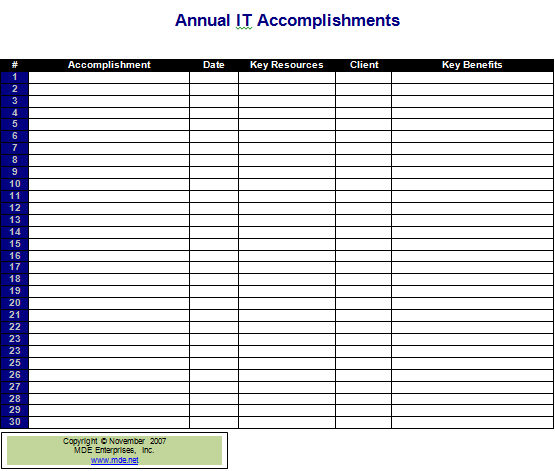
A tool I developed tracks our IT achievements for the year.

Annual IT Accomplishments template

CLICK HERE to download the template.

This report will help you remember key contributors to the success of your organization and which clients you help by project. The Key Benefits column is great to track the value your IT organization contributes.

Update this report at the end of each month with that month’s achievements and at year-end you will have what you need with zero effort to collect it.

Your employees need recognition, and this simple template will help you collect some of the best recognition material available to you – their achievements.

One last thing, , , the report will help you track IT achievements, but it won’t do you any good unless you make a commitment to communicate the content with clients and IT employees, , , and don’t forget your senior management team. Managers and employees of your company need to know what IT is accomplishing.

Share the information and watch the appreciation level for your IT organization go up.

10 Types of IT Managers

I’ve been fortunate to work with hundreds of IT and operational managers around the world, and I have observed many types so thought I would have a little fun and share my version of the typical groups managers fall into.

bully manager 21.  The Bully – This manager operates through intimidation. Bully managers have to have things “their way” and will push people around to get what they want and don’t really care if they hurt anyone who gets in their way.

manager_invisible man2.  Invisible Man (or Woman) – Invisible managers are no where to be found because they seem to never really be “on the job”. You wonder what these managers do with their time because they don’t get much accomplished. Department managers and users rarely hear from them and neither do their own people.

manager_micromanager3.  Mother Hen – These managers are often thought of as “micro managers”. They hover over you like a “mother hen” to be sure you do things exactly the way they think things should be done. They simply can’t let go of the detail. Mother Hens have good intentions but they limit the capabilities of their people.

manager_cheerleader4.  Cheerleader – Great motivators fall into this group. They tend to be upbeat and are always promoting the good things about their team and individuals on the team. Cheerleader managers know how to bring fun into their environment and consistently get things accomplished by providing positive reinforcement to everyone around them.

manager_chicken little5.  Chicken Little – “The sky is falling, , , the sky is falling!!” You guessed it, these managers make much to do about nothing it seems. Every issue is blown out of proportion and they are “nervous willies”. When a problem arises they tend to add gasoline to the flame instead of settling things down and working through a logical resolution to the problem.

manager_supermanager6.  SUPER MANager – We all want to be the super manager, , , faster than a speeding bullet, stronger than a locomotive and able to leap tall buildings. Super managers are on top of things, lead by example, and develop strong teams of people who are capable of running on their own because super managers are confident in themselves and seek to make everyone successful.

manager_coach7.  Coach – We all need to be a coach to be effective IT managers. A good coach puts solid processes in place and teaches his people the fundamentals to succeed in their positions. Great coaches know that when everyone plays their position well and does their job that’s assigned to them, the team will win.

pass the blame8.  Transparent Manager – This is a manager who takes credit for anything good the team does and passes the blame for everything that’s not good. This is counter to what a manager should do which is, “give credit to others for success and take responsibility for failure”. Transparent managers have very little respect.

manager_reluctant manager9.  The Reluctant Manager – Some become managers because a management position opens up and they are one of the senior people on the team. They are asked if they want the job and the answer is quite often, “Yes.” The reality is that they don’t really want to be the manager but they decide to accept the position to support the team or because they fear declining it will damage their career.

manager_closed door10.  Closed Door Manager – These managers are too busy working on things to be available. You know where they are because they are always sitting in their office (usually with the door shut) so they can focus on their current project. Closed Door Managers tend to lack effective communication skills because they are very shy and introverted.

Do you see yourself in one or more of these manager types?

Do you run across other types in your company?

Take the poll below and let us know which type(s) you think most IT managers fall into or add to “Other” if you think of another type.

Learning who you are and how you operate as a manager is important because the more you understand yourself and what it takes to succeed as a manager the more success you and your team will achieve.

Mike Sisco’s Top 15 IT Manager Tools

When the Editors of Toolkit Café asked me to provide a list of the Top Ten IT manager tools every IT manager should have, three things happened:

First, I never had really thought about “must have tools” for every IT manager. I had always just focused on individual tools or my entire IT Manager ToolKit.

Second, if we really mean “every IT manager should have them”, then we should create an opportunity so every IT manager can access them, , , so we have, , , read on.

Third, when I tried to identify a Top 10 List, I couldn’t narrow it down to just 10. There are 15 IT manager tools in my IT Manager ToolKit that every IT manager needs and should have.

Let’s start with the list and follow with a short description of each tool and my reasons as to why you need it.

15 Tools Every IT Manager NEEDS

15Tools_all1. IT Employee Skills Matrix
2. IT Training Plan
3. New Employee Orientation Checklist
4. Performance Plan Template
5. Project Schedule Template
6. IT Systems Conversion Project Schedule
7. Move/Relocation Checklist
8. IT Initiatives Portfolio
9. Vendor Support Contacts
10. Escalation procedure
11. Annual IT Accomplishments
12. Client Rescue Guide
13. Cost of Downtime
14. Budget templates
15. IT Support Survey

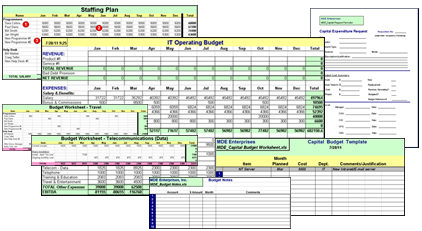
Every tool can be customized to fit your specific needs and each tool includes instructions to help you use it.

DOWNLOAD MY TOP 15 TOOLS FOR FREE!

Read on for a Description of Each Tool

IT Staff Skills Matrix1. IT Employee Skills Matrix

One of the first things you want to do in an IT organization is to conduct an IT assessment. A key component of this discovery process is to determine the capability and capacity of your IT staff.  In other words, what can you do and how much can you do in terms of providing IT support.

This simple tool helps you quantify the skills you have and quickly identify the skill gaps that exist so you can prioritize training and education for your team. You can modify it to assess any level of skill you want; use it to quantify both technical and non-technical skills. Learn more.

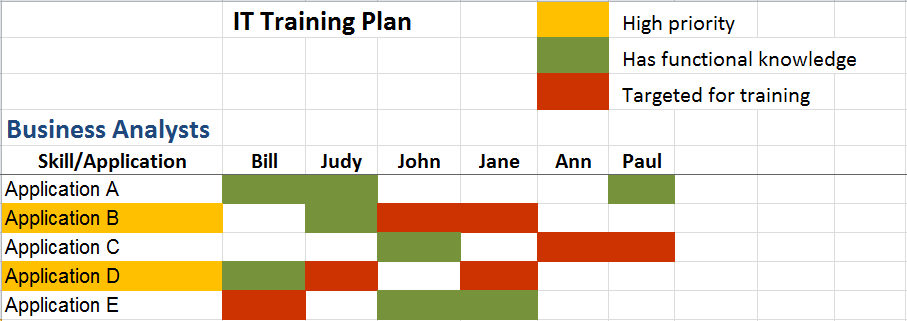
IT Training Plan - General2. IT Training Plan

Training and education is one of the top motivators for IT employees. It always ranks in the Top 3 reasons employees stay with their company so it’s important to have a strong focus on employee development.

Eliminate knowledge silos and develop depth in your organization with a focused employee training plan when you quantify and prioritize training with this tool.
Learn more
Tool_New IT Employee Orientation3. New Employee Orientation Checklist

It’s important to help a new employee get started so he or she can become productive quickly. It also has morale implications with your IT team as well as with your new employee that you may not realize.

Use this checklist or modify as needed to show new employees you are organized and help them become part of the team quickly. Learn more
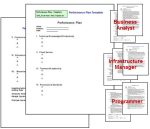
Performance Plan4. Performance Plan Template

(with examples)

IT employees have a strong need to know what it takes to be successful and they want to know if they are. Employee performance planning and review time is some of the highest quality time you have with your employees.

Included are three sample performance plans for a Programmer, Business Analyst and Infrastructure Manager. Learn more
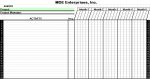
Project Schedule template5. Project Schedule Template

The key to gaining IT credibility is delivering projects successfully. You need project schedules to help you manage the project team and complete the tasks on time.

I’ve used this template hundreds of times to manage very large projects. You don’t have to be a PMP to deliver projects successfully, but you do need structure and some simple tools. Learn more

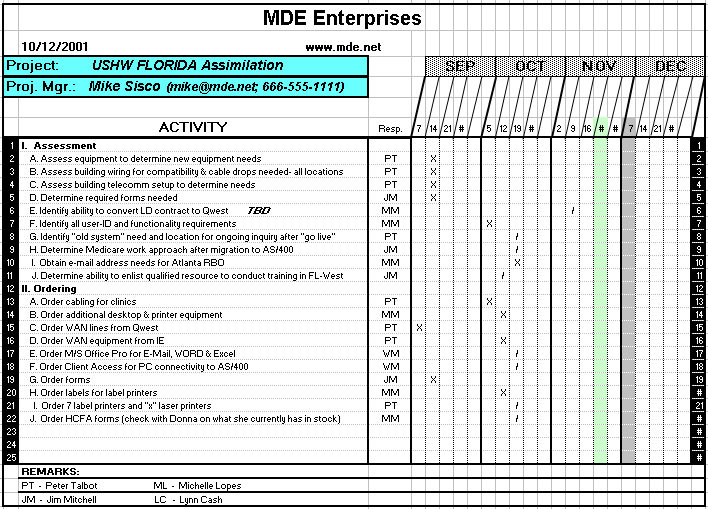
projectplan6. IT Systems Conversion Project Schedule

Sooner or later you are going to convert one of your systems to a new platform. This project schedule template provides a generic list of tasks you can use to get started quickly.

In addition, an actual sample system conversion project schedule is included that will provide additional insight into project management. Learn more
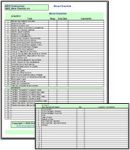
Move Checklist7. Move/Relocation Checklist

There is going to be a time when a department of your company needs to relocate. I’ve been in situations where it seemed like someone was moving every week. Nothing hurts IT credibility more than when these relocations go poorly.

Prepare with a move/relocation checklist that helps you support your client by ensuring future relocations go smoothly. Learn more

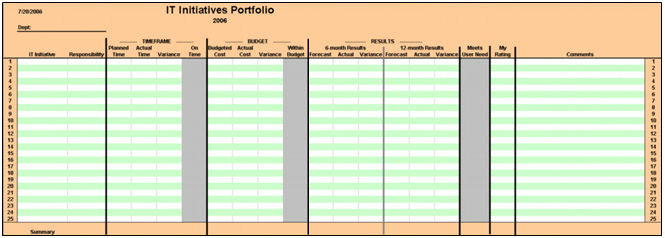
IT Initiatives Portfolio8. IT Initiatives Portfolio

This little tool is so simple yet powerful. A couple of pages will show everyone how effective your IT organization delivers projects. Summarizes exactly what you need to know in regards to your project initiatives:
• On time
• Within budget
• Results achieved
• Meets client needs
• Successful (Yes or No)
Learn more
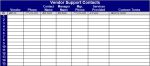
Vendor Contact List9. Vendor Support Contacts

When you need vendor support you often need it fast. Keep your vendor contact information close by and make it available to your Help Desk and all your IT managers.  You’re going to need it. Learn more

escalation procedure - loss of connectivity10. Escalation procedure

There are events that take place when you need to escalate IT support to a higher level such as a remote office losing connectivity, a data interface goes down, or a server crash.

Developing practical escalation procedures puts you ahead of the game when these problems occur and positions your organization to be highly responsive.
Learn more

Annual IT Accomplishments11. Annual IT Accomplishments

No one knows what the IT organization is accomplishing if you don’t tell them. I was shocked when assembling data for an annual IT Kickoff. We had accomplished so much more than I realized.

Right then I knew that if I had forgotten as the manager, then my clients and senior managers wouldn’t remember either. From that point I began tracking our accomplishments so we could communicate them with all groups in the company. Learn more

Client Rescue Guide12. Client Rescue Guide

Early in my career an unhappy client intimidated me. Maybe that’s happened to you. Over the years I learned that a “problem client” is simply an opportunity in disguise.

Identify the client’s issues and address them and you have a partner instead of a headache. This template walks you through a process to do just that. Learn more

costofdowntime13. Cost of Downtime

Senior managers don’t understand technology nor want to, but you have to gain their approval to fund many technical projects that are necessary for the company.

This can be especially difficult when trying to discuss infrastructure projects, , , executives don’t get “routers and switches”. A tool that can help you is to educate them on the “cost of downtime”.

This practical tool will help you quantify the downtime implications in lost productivity for any technology in your company, even down to a single PC or printer. Learn more

Budget Templates14. Budget templates

Developing an IT budget should be fairly quick work, but it is a long and tiring process for many IT managers. It was for me too until I developed a few templates to help me in the process.

This tool is actually several templates and can help streamline your IT operational and capital budgeting effort. Learn more

IT Support Survey15. IT Support Survey

At the end of the day, your client’s perspective of how well your IT organization is performing is your measurement of success. You need to be aware of how they feel about IT performance.

To do this, I use a simple survey like this tool but I don’t send it out and expect to get them completed and returned. Instead, I interview my clients and get much more information.

Use this survey form or modify it to determine client perspectives on:
• IT responsiveness
• IT focus
• IT quality
• IT professionalism
Learn more

SUMMARY
The tools and templates above have helped me significantly, and I hope you receive value in using them.

DOWNLOAD MY TOP 15 TOOLS FOR FREE!
when you subscribe to
ToolKit Cafe

There are over 100 tools and templates in the IT Manager ToolKit. To learn more  click here.

IT Management-101: fundamentals to achieve more

Over the next few days I plan to post a quick article highlighting each of the new books in the Practical IT Manager GOLD Series.

At the end of each post, I’ll include a FREE IT manager tool discussed in the book you may download and use.

IT Management-101: fundamentals to achieve more
We distributed well over 300,000 copies of the original book, , , the new version is much better.

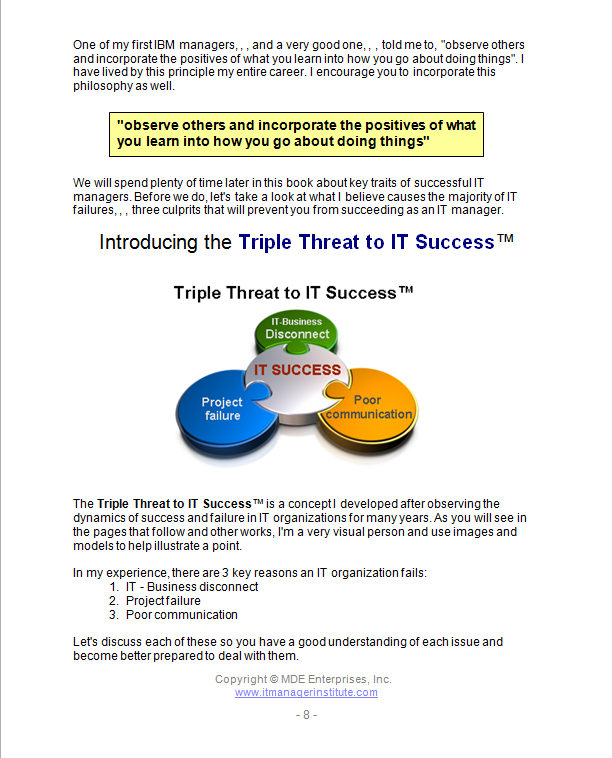
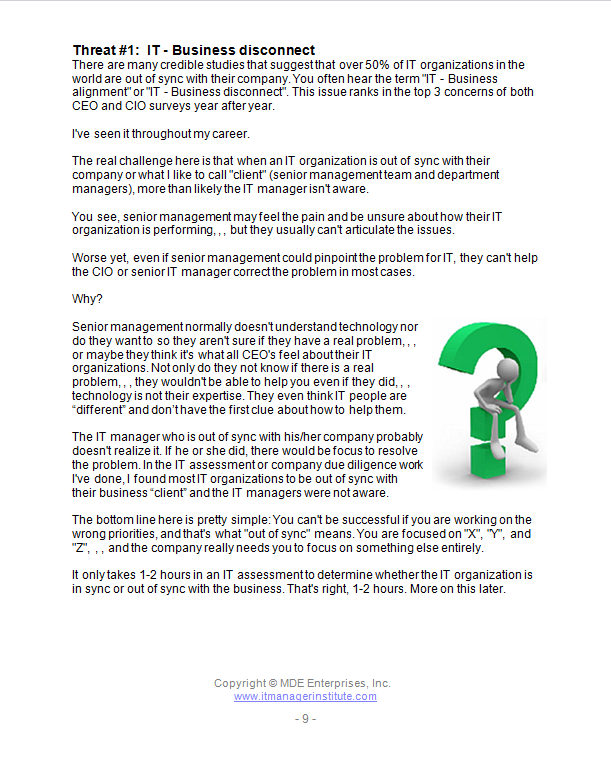
Learn about the Triple Threat to IT Success, , , the three key things that cause IT failure. You will also learn about what makes an IT employee “tick”. Some of these traits are extremely helpful as a technology expert but create big challenges for you as an IT manager. This book is a foundation every IT manager should have.

This is the publication that puts an IT manager’s responsibility into perspective. Managing technology resources can be much easier if you know what to do, how to do it, and have tools with examples to help you.

Eleven key traits of successful IT managers are emphasized that will leapfrog you past other managers. Tools are included to help you assess an IT situation and to gain insight to insure your team is in sync with your company’s needs.

IT Management-101 provides a solid foundation on which to build upon in developing your IT management skills and capabilities, , , and to achieve more™ success.

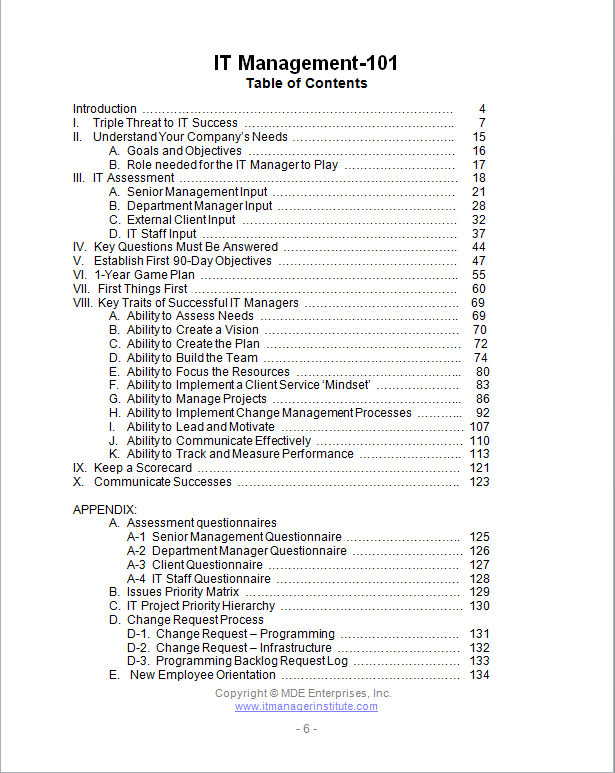
Table of Contents

Sample excerpts

Tools

Buy Now – $29.95, , , or
Download FREE when joining my free Practical IT Manager Newsletter
CLICK HERE for information on the Practical IT Manager GOLD Series.

FREE Tool from the book
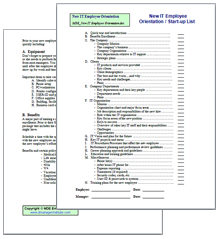
— New IT Employee Orientation/Start-up List —
One of the things you want to do with any new employee is to get them productive quickly. This is the checklist I’ve used to help me integrate dozens of new IT employees into our organization quickly. I use this tool and expect my IT managers to use something like it to ensure we get new employees “up and running”  and help them feel part of the team quickly.  Download Now

IT Manager Institute – Webinar Series

The week of November 28 – December 2, 2011 I will deliver a 5-day IT Manager Institute via webinar so anyone in the world can gain access to a “live” presentation of our highly successful program.

Date:  Monday, November 28th through Friday, December 2nd, 2011
Time:  8:00am to 2:00pm each day (US Central Timezone, , , GMT -6) each day with breaks.
Where:  From your PC or laptop connection to the Internet

Seats are limited
and the price for this first webinar class
is reduced by 30%.

In 2012, I will deliver quite a bit of training via webinar including the IT Manager Institute. You will hear more about this training series in the weeks to come, , , I have been quite busy preparing for a major launch of new IT manager products and services in January 2012.

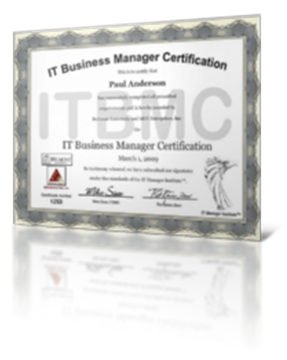
The IT Manager Institute webinar to be held next week includes 5 days of instruction and the ability to take the ITBMC exam upon completing the course. All you need is a good internet connection and time to sit in on the class. Registration fee is $1,950.00, , , 30% discount from my classroom format and will include the same instructional information, class materials and BONUS items you receive in a class, , , plus the ability to take the ITBMC exam to obtain your IT Business Manager Certification.

This will be my 47th IT Manager Institute class but the first one delivered by webinar. Take advantage of the discounted price while you can.

Spend five days with me and learn practical processes that will help you achieve more success and receive over 100 IT management tools to make it happen.

Program details are at www.mde.net/institute

Register now

$ 1,950.00
5 days of online training with Mike Sisco

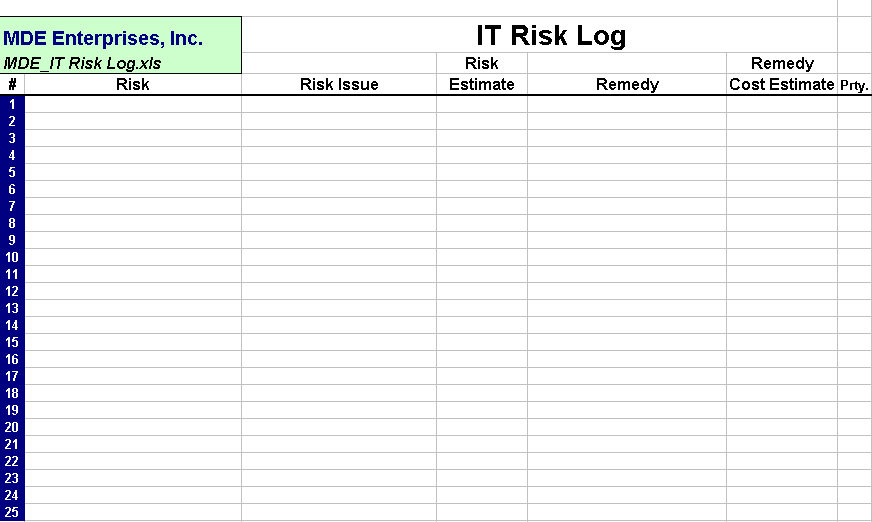
IT Risk Log

When you conduct an IT assessment, you identify material business issues that have IT support implications. There might be 150 to 200 issues, , , it’s very common.

One of the things you need to do is to prioritize these issues. One of the most important type of issue is one that poses a risk.

A handy tool to track the risks you identify is an IT Risk Log.

This is a simple tool but helpful to inventory the risks you identify in your company. Information about the data fields is below:

Risk – short description of the risk
Risk Issue – Business issue at risk and more description about the risk
Risk Estimate – Estimated cost of the risk exposure
Remedy – Description of the remedy to eliminate or minimize the risk
Remedy Cost – Estimated cost to implement the remedy
Prty. – Priority of the risk (High, Medium, Low)

CLICK HERE to download the tool.

Firing good IT employees

Sounds pretty crazy  – right? Well, it is exactly what you might have to do one day so let me give you an example.

Let’s say your company acquires another company that is made up of ten separate entities. This company you have just acquired has also been acquiring companies but they have not consolidated anything other than Payroll and accounting processes.

This means there are ten separate entities in 10 different cities running pretty much as separate companies. That’s right, , , ten IT platforms with ten IT organizations supporting them.

One of the companies does not fit your business model, , , in fact, their clients are competitors of your company. So the decision is to shut this entity down and to eliminate the IT organization supporting it.

This is exactly a situation I had in 1994. The “odd” entity was a service bureau organization providing systems and business application services to our competitors, , , not something we wanted to continue supporting.

As the CIO it became my job to shut the “company” down because it was essentially an organization made up of programmers, business analysts, and data center staff.

They are good people, but “in the wrong place at the wrong time”, as they say.

I needed to terminate this group of employees without creating a tidal wave problem with the employees in the other nine companies. Handle this situation poorly and our company is going to have major challenges with employees and potentially clients due to the uncertainty it creates.

In addition, even though this company’s clients are my competitors, I don’t want to do anything that damages their business, , , word gets around we are a “heavy handed” company without any sensitivity to employees and clients can jeopardize  our future acquisition plans.

So, here is the plan we executed, , , the company’s manager we are going to eliminate and me.

First, we announced our decision to the staff and gave them a transition plan which included:

  • Guaranteed length of employment for 90 days
  • Bonus to help us transition
  • Outplacement support
  • Time to interview with other companies

Next, we contacted each client and gave them our plan along with a commitment to support their migration to another support company, , , up through 90 days. We met with the largest clients that made up more than 70% of the business.

We successfully transitioned the business and there were no employees who became unemployed.

The key to our success was being up front, open and honest about what was going to happen, and putting in support mechanisms to reduce the impact of “being in the wrong place at the wrong time”.

Many of these employees went on to have very successful careers.

Take responsibility for failure

I have always believed there is a “golden rule” when it comes to managing an IT organization.

Give credit to your team for successes and take the responsibility for failures

Let’s say you have a support programmer who puts some new code into production without testing it completely and without communicating it to the users affected.

In most situations your change management process will prevent this but in a small company it might happen so let’s use it to explain my point.

He installs the code and something breaks, , , big surprise – right?

You get a call from a manager, , , one of your largest clients, , , and she is irate to put it mildly. Not only did it break but several screens have changed and many on her staff are confused and have called her or gone to see her.

All of this is impeding her organization’s productivity and she doesn’t like it. Who does she share her frustration with?

You bet, it will be you, , , but that’s not all. She may share it with her boss, the CFO or other senior managers. Unhappy people tend to share their displeasure with others, you know.

Even though this has happened before and you have told the programmer to never do it again, it still happened.

When the client shares her frustration, the last thing you want to do is to pass the blame onto the programmer.

Yes, he caused the problem and you have discussed the issue with him before, but you still have to take responsibility. You are the manager.

Accept responsibility and tell your client you will take care of the issue, , , never bring the programmer up. The client may even know who actually caused the problem, but that’s ok. Don’t mention the programmer, , , just take your medicine and move on.

After the client meeting, , , now is the time to have a one-on-one meeting with the programmer. Behind closed doors you can make absolutely clear this is not to happen again and you spell out the consequences if it does.

Taking the “hit” for failures yourself and giving your team the credit for successes builds loyalty among your team. Your employees will walk through fire for a manager they know supports them to the fullest.

Believe it or not, , , word gets around about the problem that occurred and how you handled the issue. You gain respect from your IT employees and clients as well.

And, , , the programmer won’t do this again if there are real consequences for failing to follow your direction.

6 rules in building an IT organization

There are many things to consider when building an IT organization. Here are six rules you should consider:

#1 – Find your replacement and position to fill your shoes.
Take this seriously. It’s hard to be promoted and gain additional responsibility in a company when your organization is completely dependent upon you to manage it.

 #2 – If there is a gap, IT must close it.
Often there is a gap between what the IT organization is working on versus what your client really needs from you. It is up to you to determine if there is a gap first of all and if so, you must take the initiative to close it. It is not the client’s responsibility.

#3 – Right-size the organization.
Understand that most CEO’s want to spend little to nothing in IT. You should spend the lowest possible amount that is sufficient to support your business. Company need should dictate the size, skills, , , even the organizational structure of IT.

#4 – You must earn respect.
Respect is not a given, , , you earn it every day. Employees and clients may respect the position you hold but they won’t respect you unless you deliver what you say you will, it provides business value, and you treat others with respect.

#5 – Managing people is a specialized skill.
Teamwork is not an easy thing for IT people, , , over 90% are independent who like to do things themselves and do it their way. Building an organization has a lot to do with developing a culture of teamwork with people who are not particularly inclined to work on teams.

#6 – Great client service is built.
World class client service only happens if the manager makes it happen. Again, this is not necessarily something that comes natural to highly independent people. You must create a culture built around client service.

Find good people, focus them on the business need of your company and coach them on ways to be responsive the demands of the business.

Best of success.

Ask great questions in an interview

An interview is a two-sided event. Yes, the company interviewing you will have a lot of questions and will “size you up” to determine if you are a good fit for them.

You need to do the same thing. Just because a company is big and has an opening doesn’t mean it’s the right fit for you. You should use as much discretion as the company managers who will interview you.

For this new job to be a winner, it must be a fit for you and the company.
One of the things you want to do is ask good questions, , , probing questions that will give you insight into the environment and what type of company you are going to join assuming you get an offer and accept.

One of the best ways to make a great impression in an interview is to ask great questions. It shows you have a sincere interest and an intellectual curiosity. It tells an interviewing manager you are engaged in the conversation and aren’t just going through the motions.

Here are a few questions I like to use when I interview:

  • Why is the position open?
  • Was the previous manager successful? If not, why?
  • What do you believe are the 3 keys to success in this position?
  • What are the company’s long-term plans?
  • What are the biggest challenges you have?
    • In the company
    • In the position
  • What do you think the primary focus should be in the first 90 days?

Their answers may create more questions. In addition, their questions to you will probably make you think of things you want to ask.

I think one of the important parts of a successful interview is to establish a comfortable rapport with the interviewer. The more the interview feels like a comfortable and open discussion as if you were enjoying a coffee together the better.

A key in doing this is to simply have a comfortable two-way conversation with the person interviewing you. Having questions handy will help you do this.

Another thing is to avoid putting lots of pressure on yourself. Be confident, not cocky, , , and be sincere in your desire to learn more about the company and the position.

A key to reduce the pressure so you will be less nervous is to realize that the worst thing that can happen is that they don’t make you an offer. It’s not a life or death situation if you don’t get the job.

It’s OK to be nervous, , , it means you care. That’s a good thing, , , but displaying too much nervousness can be a negative in an interview.

Remember, you are interviewing the company as much as they are interviewing you, , , and if both parties like what they see there will probably be an offer in the making.

GOOD LUCK in your interviews.