Category Archives: IT Manager Tools

Tools of the trade to help you achieve more success

Project success is path to IT credibility – Step 1

Clock helpIn the first article of this “IT credibility through project success” series I outlined three key components required of you in delivering projects successfully in order to gain IT credibility.

1.  Build an appropriate project schedule and manage projects to deliver on time, within budget and meet your client’s expectations.
2.  Communicate the status of active projects.
3.  Demonstrate your organization’s project success rate and the benefits derived from your efforts.

In this post we will discuss the first component – building an appropriate project schedule and managing projects.

First, let’s identify a few key tips that will help you manage and deliver projects successfully:

  • One of the biggest reasons projects fail is because IT people do not clearly define the goals, objectives and specific deliverable of a project. We charge off to do the work before getting it all defined and agreed upon by the project sponsor, , , when this happens, the project is already doomed.
  • IT people like to be “exact”. To manage projects successfully, you have to be conservative and add buffer to the budget and timelines. There is a golden rule to follow when managing projects. Always remember, , ,

projects take longer and cost more than you think they will

every time

  • Conduct a Project Kickoff Meeting to get project team members on the same page and to set their expectations on what you expect from them. It may be their first real project so spell out in clear terms that you expect them to have their tasks completed on time.
  • Explain to the team that asking for help is a sign of strength, not weakness. IT employees don’t like to ask for help, but asking for assistance early gives you an opportunity to overcome something that might cause the project to be late or over budget.
  • Projects don’t get completed on their own. Good project managers anticipate early and often and they push the project along by having weekly project status meetings to keep their projects on target.
  • Identify key bottlenecks or critical tasks in the project and get after them quickly. These are the culprits that jeopardize completing projects on time.
  • Hold project team members accountable and expect them to complete their tasks on time. In the Project Kickoff Meeting, get commitments from everyone that they can complete all their assigned tasks by the designated due dates.
  • Inspect, , , inspect, , , inspect. Remember, what gets inspected gets done. If you are surprised to discover someone is late on a task at the status meeting, , , shame on you for not inspecting. If you don’t inspect, you will always be surprised and surprises usually spell trouble.
  • Managing client expectations is a key ingredient for project success. To do this, you must communicate effectively and regularly.

Simple tool for building a project schedule
Developing an appropriate project schedule and using it to manage the project is key.

I use a very simple tool to develop project schedules. It’s an Excel spreadsheet template. I’m experienced with Microsoft Project but I’ll always revert back to this spreadsheet tool whenever possible because it’s quick and easy.

Believe it or not, before we had laptops and spreadsheets I used a paper form similar to my spreadsheet template and a pencil (and eraser 🙂 ) to manage many large computer installation projects as an IBM Systems Engineer.

Managing a project schedule is not about the tool as much as going about your work appropriately and in a manner that works.

Here is what my blank project schedule template looks like, , , click on the image for a closer look:

project schedule template 2013

There are three key parts:

1. Task – These are the specific tasks required to complete the project. I organize my tasks by major groups or categories. For example, in a large systems conversion project, I might set up a group of tasks by the following categories:

  • Ordering and Setup
  • Infrastructure
  • Programming
  • File Build
  • Training

This organizes the tasks into logical groups and saves time when you work through a project status meeting to determine the status of this week’s tasks that are due to be completed.

My approach is to quantify the tasks to complete a project first. I focus on identifying and listing all the tasks first and then work from there.

Something else to consider as you develop the tasks is that some tasks will be bottlenecks or key tasks that can jeopardize your project if they are not completed on time. You want to identify bottleneck tasks as quickly as you can and place priority on getting them completed early. Eliminating a bottleneck may actually give you a time advantage.

2.  Responsibility – Each task needs one person assigned to be responsible in getting the task completed. It doesn’t have to be the person who actually works on the task, but it needs to be someone on the project team who sits in the weekly status meetings so you can look the person in the eye when you hold them accountable for the task.

Another note on this, , , keep responsibility for each task to 1 person, even if multiple people work on the task. It’s hard to hold more than one person truly accountable for a task and it’s easy for them to point at the other person if a task is not completed.

3.  Timeframe – These are the columns you see titled Month-1, Month-2, etc. Under each month, there are 5 columns. These are weekly columns for the month, , , five because some months have 5 weeks. I use Friday dates. More on this in a second.

So, let’s say the project starts in January and the first Friday is the 7th. I would put in the weekly columns: 7, , , 14, , , 21, , , 28 underneath the month of January to designate each of the Fridays in the month of January. Put in the Friday dates for the other months that are required to complete the project.

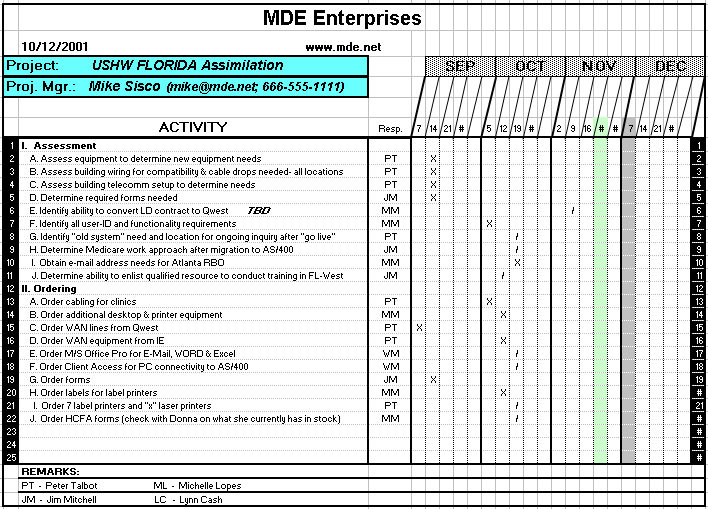
Once you have the week ending dates established, , , work through each task to determine the week the task needs to be completed in order to complete the project successfully. What I do is to key or write in a “/” (slash). When the task is completed, I change the “/” to an “X”. This creates a visual effect that makes it very easy to see the status of all the tasks. You will see an example of this in a minute.

You may have a very large project, , , 20 pages or more with hundreds of tasks. By using the “/” and “X” notations, you are able to work through a project status meeting quickly and thoroughly. You just focus on the tasks that are due this week and possibly next week plus bottleneck tasks you know exist in the future.

I mentioned bottleneck tasks earlier. You may want to highlight these by shading the cell background of the completion time to bring attention to the team that this is a key task that can cause the project to fail. It also makes the task easy to spot in status meetings so you can ask about its status weeks ahead of when it is due. Remember the point I made earlier, , , get after these bottleneck tasks quickly!

I also mentioned that I use Friday dates. Friday is the last day of the work week in the US so I show the tasks as needing to be completed by the end of the week. I hold my weekly status meetings early in the week on Mondays or Tuesdays and as we work through this week’s tasks it gives us a few extra days to complete a task if it’s not already completed.

Project managers have to push the project to completion, , , it’s not going to be completed on time if you don’t push to make it happen. By holding project status meetings early in the week and showing tasks required to be completed by Friday it gives you additional time.

Quite often, project team members will procrastinate and wait until the last minute to start focusing on their tasks, , , they think they have plenty of time. This can cause a project to fail because sometimes a task is bigger or more complex than anticipated and takes longer to complete. The additional few days after a project status meeting will help you keep the project on track.

Below is the first page of an actual project where you can see the visual effect of what I described in designating completed tasks with an “X”. You can easily see that we are about to hold a status meeting for the week of October 19th. Click on the image if you need to see a larger version.
projectplan

In the next post we will talk about communicating the status of active projects and I’ll share a simple tool I developed and used recently to do this.

it project management ebookMore details of the entire project management process and customizable tools I use are available in my book, IT Project Management: a practical approach

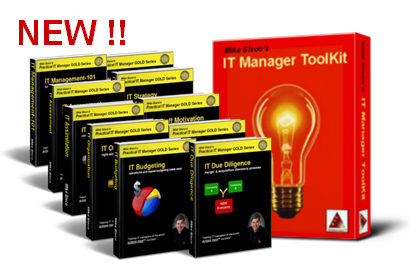
Mike Sisco’s Top 15 IT Manager Tools

When the Editors of Toolkit Café asked me to provide a list of the Top Ten IT manager tools every IT manager should have, three things happened:

First, I never had really thought about “must have tools” for every IT manager. I had always just focused on individual tools or my entire IT Manager ToolKit.

Second, if we really mean “every IT manager should have them”, then we should create an opportunity so every IT manager can access them, , , so we have, , , read on.

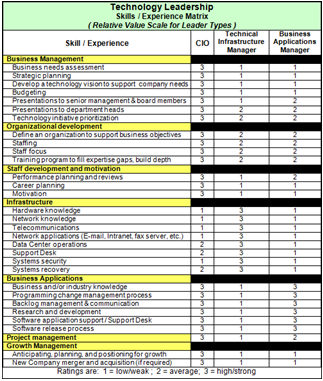
Third, when I tried to identify a Top 10 List, I couldn’t narrow it down to just 10. There are 15 IT manager tools in my IT Manager ToolKit that every IT manager needs and should have.

Let’s start with the list and follow with a short description of each tool and my reasons as to why you need it.
15 Tools Every IT Manager NEEDS

15Tools_all1. IT Employee Skills Matrix
2. IT Training Plan
3. New Employee Orientation Checklist
4. Performance Plan Template
5. Project Schedule Template
6. IT Systems Conversion Project Schedule
7. Move/Relocation Checklist
8. IT Initiatives Portfolio
9. Vendor Support Contacts
10. Escalation procedure
11. Annual IT Accomplishments
12. Client Rescue Guide
13. Cost of Downtime
14. Budget templates
15. IT Support Survey

Every tool can be customized to fit your specific needs and each tool includes instructions to help you use it.
DOWNLOAD MY TOP 15 TOOLS FOR FREE!

Read on for a Description of Each Tool
IT Staff Skills Matrix1. IT Employee Skills Matrix

One of the first things you want to do in an IT organization is to conduct an IT assessment. A key component of this discovery process is to determine the capability and capacity of your IT staff.  In other words, what can you do and how much can you do in terms of providing IT support.

This simple tool helps you quantify the skills you have and quickly identify the skill gaps that exist so you can prioritize training and education for your team. You can modify it to assess any level of skill you want; use it to quantify both technical and non-technical skills. Learn more.

IT Training Plan - General2. IT Training Plan

Training and education is one of the top motivators for IT employees. It always ranks in the Top 3 reasons employees stay with their company so it’s important to have a strong focus on employee development.

Eliminate knowledge silos and develop depth in your organization with a focused employee training plan when you quantify and prioritize training with this tool.
Learn more

Tool_New IT Employee Orientation3. New Employee Orientation Checklist

It’s important to help a new employee get started so he or she can become productive quickly. It also has morale implications with your IT team as well as with your new employee that you may not realize.

Use this checklist or modify as needed to show new employees you are organized and help them become part of the team quickly. Learn more

Performance Plan4. Performance Plan Template

(with examples)

IT employees have a strong need to know what it takes to be successful and they want to know if they are. Employee performance planning and review time is some of the highest quality time you have with your employees.

Included are three sample performance plans for a Programmer, Business Analyst and Infrastructure Manager. Learn more

Project Schedule template5. Project Schedule Template

The key to gaining IT credibility is delivering projects successfully. You need project schedules to help you manage the project team and complete the tasks on time.

I’ve used this template hundreds of times to manage very large projects. You don’t have to be a PMP to deliver projects successfully, but you do need structure and some simple tools. Learn more

projectplan6. IT Systems Conversion Project Schedule

Sooner or later you are going to convert one of your systems to a new platform. This project schedule template provides a generic list of tasks you can use to get started quickly.

In addition, an actual sample system conversion project schedule is included that will provide additional insight into project management. Learn more

Move Checklist7. Move/Relocation Checklist

There is going to be a time when a department of your company needs to relocate. I’ve been in situations where it seemed like someone was moving every week. Nothing hurts IT credibility more than when these relocations go poorly.

Prepare with a move/relocation checklist that helps you support your client by ensuring future relocations go smoothly. Learn more

IT Initiatives Portfolio8. IT Initiatives Portfolio

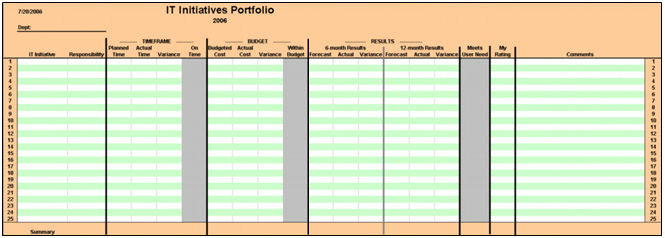
This little tool is so simple yet powerful. A couple of pages will show everyone how effective your IT organization delivers projects. Summarizes exactly what you need to know in regards to your project initiatives:
• On time
• Within budget
• Results achieved
• Meets client needs
• Successful (Yes or No)
Learn more

Vendor Contact List9. Vendor Support Contacts

When you need vendor support you often need it fast. Keep your vendor contact information close by and make it available to your Help Desk and all your IT managers.  You’re going to need it. Learn more

escalation procedure - loss of connectivity10. Escalation procedure

There are events that take place when you need to escalate IT support to a higher level such as a remote office losing connectivity, a data interface goes down, or a server crash.

Developing practical escalation procedures puts you ahead of the game when these problems occur and positions your organization to be highly responsive.
Learn more

Annual IT Accomplishments11. Annual IT Accomplishments

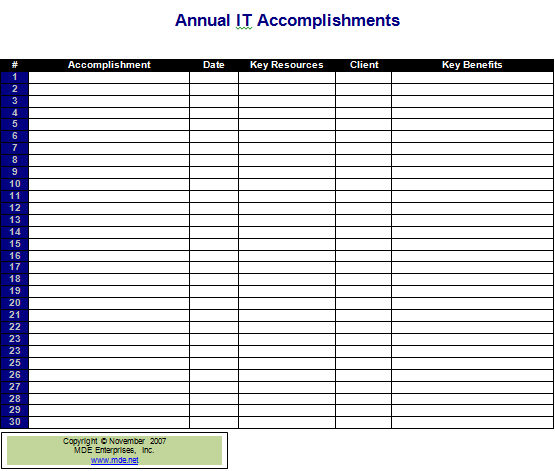
No one knows what the IT organization is accomplishing if you don’t tell them. I was shocked when assembling data for an annual IT Kickoff. We had accomplished so much more than I realized.

Right then I knew that if I had forgotten as the manager, then my clients and senior managers wouldn’t remember either. From that point I began tracking our accomplishments so we could communicate them with all groups in the company. Learn more

Client Rescue Guide12. Client Rescue Guide

Early in my career an unhappy client intimidated me. Maybe that’s happened to you. Over the years I learned that a “problem client” is simply an opportunity in disguise.

Identify the client’s issues and address them and you have a partner instead of a headache. This template walks you through a process to do just that. Learn more

costofdowntime13. Cost of Downtime

Senior managers don’t understand technology nor want to, but you have to gain their approval to fund many technical projects that are necessary for the company.

This can be especially difficult when trying to discuss infrastructure projects, , , executives don’t get “routers and switches”. A tool that can help you is to educate them on the “cost of downtime”.

This practical tool will help you quantify the downtime implications in lost productivity for any technology in your company, even down to a single PC or printer. Learn more

Budget Templates14. Budget templates

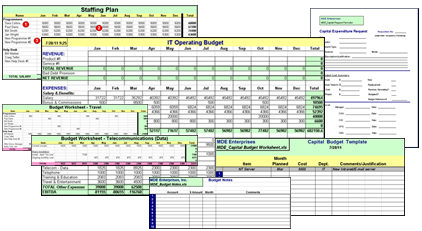
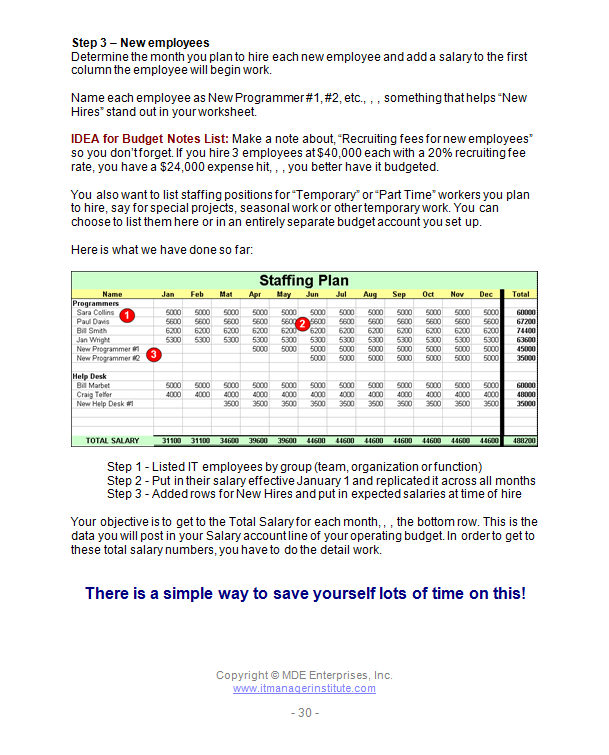
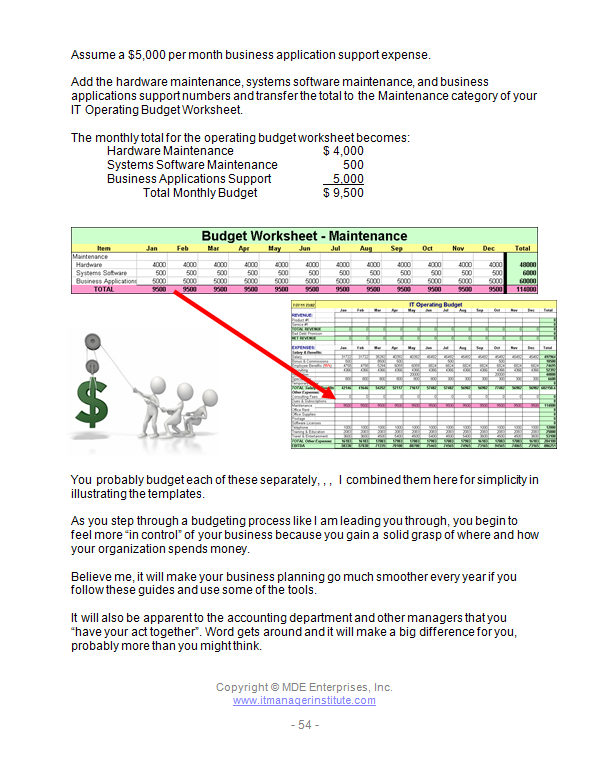
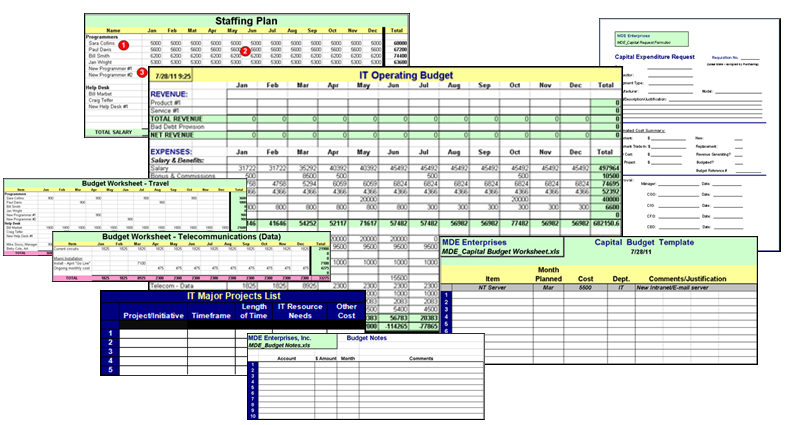
Developing an IT budget should be fairly quick work, but it is a long and tiring process for many IT managers. It was for me too until I developed a few templates to help me in the process.

This tool is actually several templates and can help streamline your IT operational and capital budgeting effort. Learn more

IT Support Survey15. IT Support Survey

At the end of the day, your client’s perspective of how well your IT organization is performing is your measurement of success. You need to be aware of how they feel about IT performance.

To do this, I use a simple survey like this tool but I don’t send it out and expect to get them completed and returned. Instead, I interview my clients and get much more information.

Use this survey form or modify it to determine client perspectives on:
• IT responsiveness
• IT focus
• IT quality
• IT professionalism
Learn more

SUMMARY
The tools and templates above have helped me significantly, and I hope you receive value in using them.

DOWNLOAD MY TOP 15 TOOLS FOR FREE!
when you subscribe to
ToolKit Cafe

There are over 100 tools and templates in the IT Manager ToolKit. To learn more  click here.

21 Secrets Every IT Manager MUST Know

21 Secrets Every IT Manager Must KnowLast week at our 56th IT Manager Institute in Dubai I announced my new book.

21 Secrets Every IT Manager Should MUST Know

Secret #8, Teamwork is not automatic in IT was posted the other day that will give you a glimpse into the book.

————-

IT managers tend to discount or pay little attention to these “secrets”, , , something that can create real challenges for you and your IT organization.

21 Secrets has been in development for some time. I wanted to write this one because there are many issues that can hinder your IT success, , , even undermine your credibility. Becoming aware of these “land mines” can make a positive difference in your success.

You may purchase the book at http://itmanagerstore.com/books/21-secrets-every-it-manager-must-know/.

I’m liking Evernote

EvernoteMy brother told me about a product called Evernote a year ago, maybe longer. I took a quick look at it but didn’t do anything, , , looked like a simple list or note app to me and not much more.

I was wrong, , , again.

Evernote is a great little Note and List Application, but you can do more. Here are some quick features that make it worth looking at:

  • It’s free (premium version also available)
  • Create multiple Notebooks , , , great for organization
  • Sits on the cloud so most devices can get to your latest update
  • Nice search capability
  • Easy to move notes around
  • Great capture capability
    • From email
    • Web sites (full page or highlighted sections)
    • Web site urls
    • Photos
    • Record audio

Evernote buttonI’m finding that the more I use Evernote the more I tend to save things, , , items I wouldn’t have even thought about saving before.

A great use that helps me is that when I see something in email or browsing the Internet that I think I want to remember, , , a quick snapshot goes into one of my Evernote notebooks.

It’s great for collecting article ideas that I might want to write about in the future. I used to do this with a hardbound notebook and it was great but it adds weight to the briefcase and no one needs that.

It’s also great for simply making notes to myself, , , you know, those great ideas that pop into your head that you want to remember, , , but the next day you can’t!! Probably never happens to you but it does with me all the time, , , or it used to but not anymore.

I’ve also started putting my To Do List  on Evernote – in fact, I have a Notebook called To Do List. This allows me to list all the things I need to do at some point (my master list) but also highlight what needs to be done this week (my priority list). The other neat thing is that when I complete a To Do item I can check it as completed or scratch through the item so it’s easy to see, , , even copy it to a Completed List to keep track of what I’ve accomplished if I want to.

Evernote is much easier and more accessible than the EXCEL spreadsheets I used for many things before. It is a tool that makes my life better

Steps to develop a career program for your IT staff

Recently, I took on a consulting project to temporarily manage an IT organization of 35 employees or so. One of the key initiatives of this interim IT Director role was to put in place a Career Development Program for the team.

If you need to do this in your organization, you might consider the steps I took .

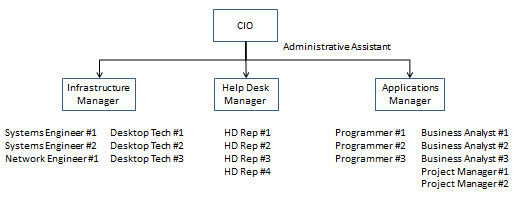
1.  Define your existing organization structure – First, you need to quantify your existing IT organization structure so you have a sense of the current positions. This is a standard Organization Chart that probably looks something like the chart below.

organization chartEXHIBIT A

Instead of positions filled as shown in the example you would list employee names under the manager they report to.

2.  Define the Career Structure you want to manage to – This is not an Organization Chart, , , instead, it is a structure that defines the career positions that your staff will fall into. For example, there might be four levels of programmer positions, , , Associate Programmer, Programmer, Senior Programmer, and Programmer Consultant.

The chart below is similar to what we developed in the consulting project.

career structure
EXHIBIT B

As you can see there are several skill disciplines (when viewed by columns), , , for programming, business analysts, desktop technicians, etc. This is not an Organization Chart, , , it is simply a Career Path Structure that shows the career progressions for each skill discipline.

If you have 10 programmers, seven of them might be at the Programmer Analyst position, two in the Senior Programmer position and one in the Associate Programmer position.

In addition, each position will have a range of salary levels that are appropriate for the level of skill and knowledge of the position.

3.  Revise and/or develop new job descriptions for all Career Structure positions – This is the hardest part and requires considerable time, , , but when completed you will have an updated set of job descriptions that match the Career Structure you plan to put in place. You will need your Human Resources Department involved in this one so your finished product complies to standards HR has for the rest of the company.

4.  Conduct a staff skills inventory assessment – One of the things you will want to do when you roll out your Career Planning Program is to show your employees a commitment to investing in their growth. Most organizations have “silos of knowledge” where all the knowledge and experience in a topic is contained in one or two people. This creates risk for your support organization so you need to determine where these gaps exist in order to develop additional depth, , , especially in mission critical support skills that are needed in your company.

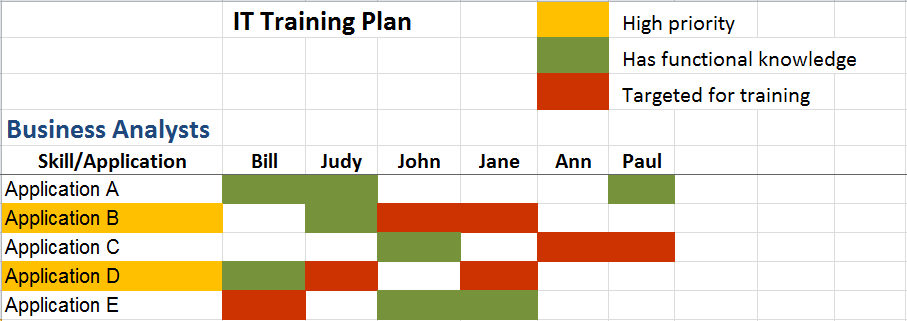
To do this, list all the technical skills and application knowledge you need in your organization, , , then quantify who has these capabilities in your organization. There are many ways to do this, , , in this project I used a simple spreadsheet like the one below that made it easy for me to see where the knowledge gaps were.

IT Training Plan - General

EXHIBIT C

In this example, I show you a section for the Business Analysts, , , you should have a similar skills inventory for each of your skill disciplines.

There are a few things to take notice of:

  • We list all the technical skills in the first column to the left, , , in this case each of the Business Applications we support as an IT Organization.
  • Next, we make a column for each of our Business Analyst employees
  • If an employee functional knowledge of an application, shade the appropriate cell beneath the employee’s name in green.
  • This clearly shows you where you have minimal functional knowledge. In these cases, you need to target training for these areas.
  • The red shaded cells represent the people we want to target training for each application.
  • Once you see where you need to focus training, you should prioritize your training efforts by highlighting the applications you want to prioritize. This is a subjective exercise based upon which applications you deem to be mission critical or more important and the applications that have the greatest risk due to lack of functional knowledge.

In looking at the sample, you can see Application A is in good shape with three people with functional knowledge. On the other hand, Applications B, C, and D only have one resource with functional knowledge for each, , , you need to do some training in these applications.

Application E has two people with functional knowledge. Ideally you would like to have at least three people capable in major applications so there is ample backup. That’s why we decided to train Bill on this application.

5.  Identify the most important training focus areas – Once you can see where your gaps are (where you have minimal expertise), you can identify which of these areas need to be prioritized for training. Focus on skill areas you’ve identified as mission critical and skill areas that have minimal expertise, , , applications shaded with orange in the sample above.

6.  Develop an IT Staff Training Plan – Every employee should have a specific training plan for the year. You want their training to be focused and that will help reduce the knowledge silos you have in your support organization.

The Skills Inventory shown in EXHIBIT C does this for you.

In the company I was with there were significant numbers of knowledge silos, especially in the applications the team was supporting. In this step, we did two things:

  • Targeted the employees to receive training for each skill
  • Identified the trainer to develop and deliver the training

All of what we needed to do in training for this organization could not be completed in a few months, , , maybe not even within a year. However, with a focus that’s prioritized based upon filling mission critical skill gaps we thought we would be able to make huge leaps in developing additional depth of knowledge throughout the team. Also, by spreading around the responsibility to deliver training you will be able to go faster.

7.  Deliver the Career Planning Program – I’ll write a BLOG post later on this topic and go into it in some detail, , , there are many things to consider when beginning to career council your employees, , , plus there are additional tools you will need to deliver your Career Plan message.

Be aware that when you deliver a Career Planning Program to employees who have not seen a program like this it is going to create some anxiety among the staff. When everyone finally sees where they fit within the Career Structure, there will be people who think they should be higher on the chart. Even if they are OK with where they are, they can be concerned about where someone else is placed on the chart.

Trust me, there will be issues so get prepared to handle them before you deliver the program.

When you deliver the Career Structure to the team, be sure you cover the program in detail including your training focus and have plenty of time for questions and answers, , , there will be many. Understand, you will not be able to make everyone happy with a Career Planning Program initially. What’s important will be to put a structure in place that provides a career path for your staff and a training program that invests in their development.

Over time, the noise level will diminish and you and your staff can use the program to provide a guide to help further people’s career, , , which is what it’s intended to do in the first place. To get there requires some work, an understanding of your team, possibly even some rough waters in the beginning of the implementation, , , but the benefits can be big in the long run.

One last comment, , , if you have a small organization of 12 or fewer people, it is difficult to have much of a Career Planning Program. For example, in a small IT organization there may be just one manager. The only way someone gets an opportunity to manage in the IT organization is if the current manager leaves for some reason or if the company grows enough to justify a larger IT organization with more IT managers.

success on targetIT employees want to succeed and they need a path for growth, , , it’s up to the manager to make it happen.

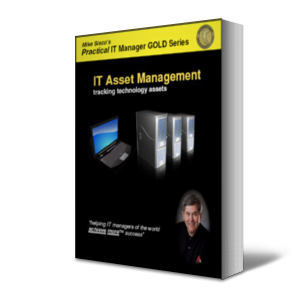
IT Asset Management: tracking technology assets

IT Asset Management: tracking technology assets
Managing the technology assets of a company has never been more important than it is today. With change taking place more frequently and exposure to risk increasing, it is a requirement of every CIO to keep track of the technical assets of the company.

Tracking your technology assets is important so you need a few tools and a simple process to manage this part of your business effectively. This helps you be more organized and will give you a head start in budgeting and other management requirements.

This book tells you what to track and provides several tools to help you do it.

Table of Contents

Book excerpts

Tools

————————————————————

Buy the entire
Practical IT Manager GOLD Series

$279.00

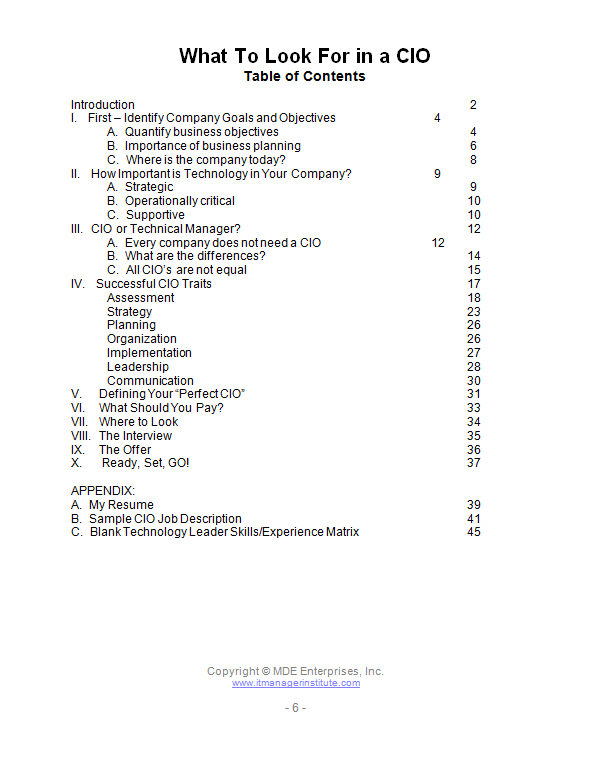
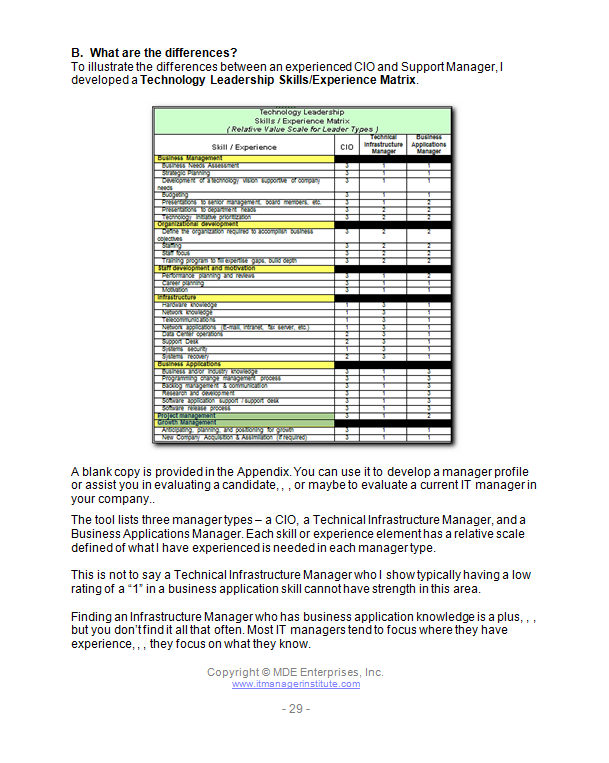
What To Look For in a CIO: get more value from your IT investment

What To Look For in a CIO: get more value from your IT investment
This was my first book targeted to company executives because there tends to be a lack of understanding IT and not knowing what they should expect from their IT organization, , , and CIO.

Key attributes are outlined that are necessary for CIO’s to be effective for their company. The document “nets out” traits that lead to success and helps a company’s senior management quickly understand what they should expect from their CIO and how to work effectively with a CIO.

The material is useful for technical managers of all levels to better understand the role and requirements necessary to become an effective CIO and provides tools that help you gauge your own capabilities with those that are needed for a CIO position.

Table of Contents

Book excerpts

Tools

————————————————————

Buy the entire
Practical IT Manager GOLD Series

$279.00

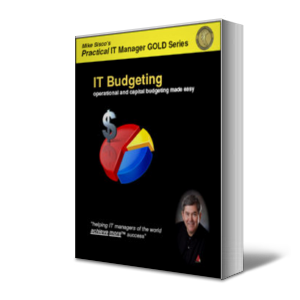
IT Budgeting: operational and capital budgets made easy

IT Budgeting: operational and capital budgeting made easy
Budgeting is not as difficult as many make it, , , all you need is a practical process and a few tools, , , plus insight from someone who has developed dozens of successful IT budgets. A few tips you will receive in this book will save you lots of time and frustration.

Sooner or later you have to learn how to budget and build a plan that is aggressive but achievable. This publication takes you through the process of building a reasonable business plan and focuses on key areas with CIO level insight that are most important to ensure you will meet your budget plans.

My own personal tips and techniques are included that served me well for twenty years of managing dozens of IT budgets.

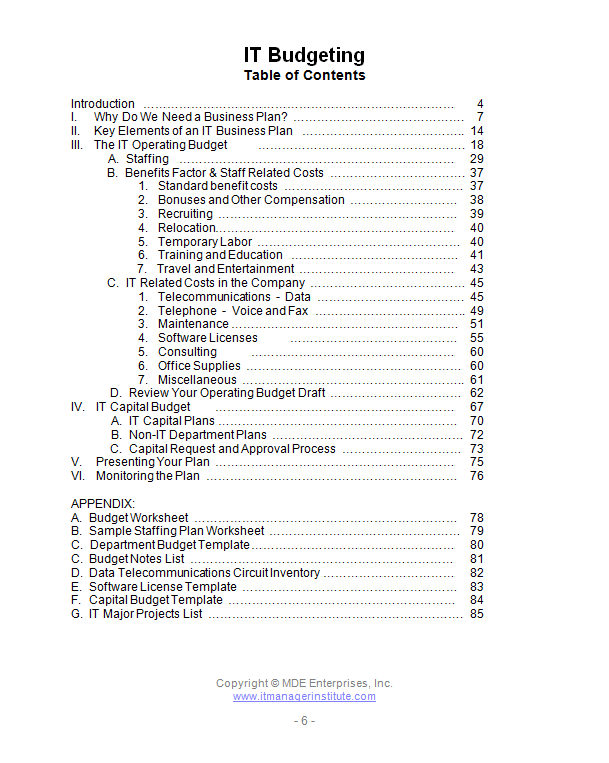
Table of Contents

Book excerpts

Tools

————————————————————

Buy the entire
Practical IT Manager GOLD Series

$279.00

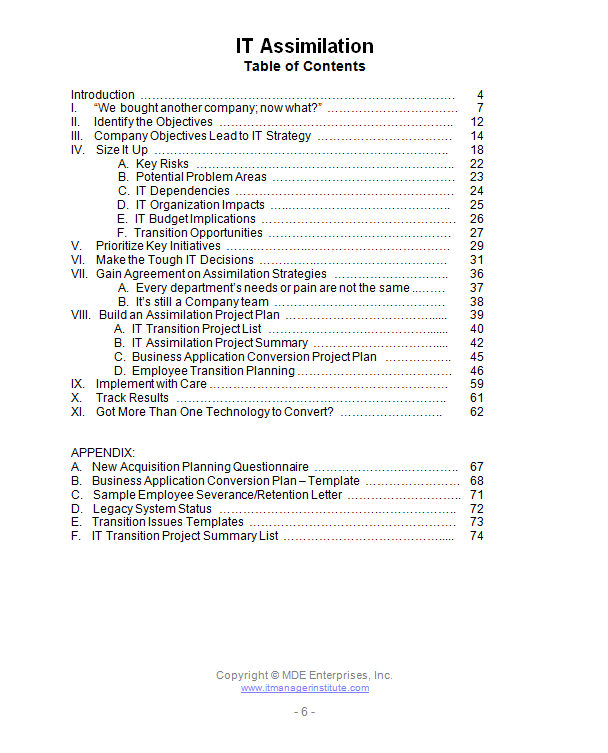
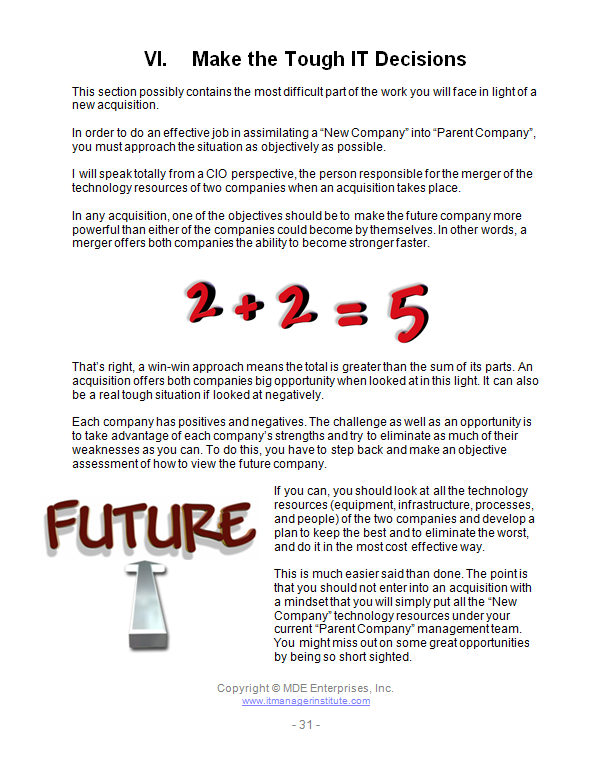
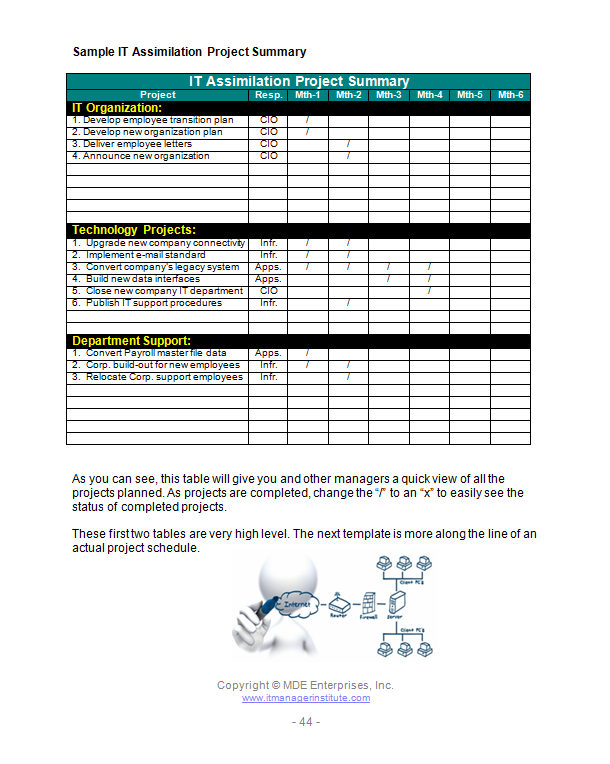
IT Assimilation: consolidating redundant technologies

IT Assimilation: consolidating redundant technologies
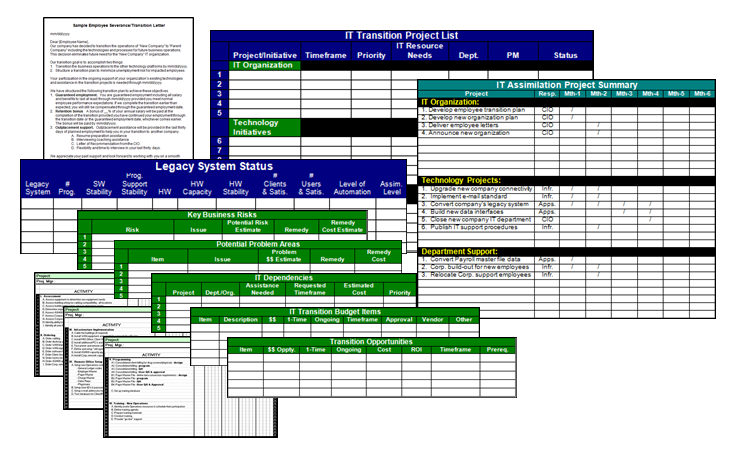
After you conduct an IT assessment, you need a plan to transition your organization. In IT Assimilation I use my company acquisition experiences to provide you lots of tips and techniques to do this effectively.

“Ok, so we’ve acquired a new company. Now what do we do?” These words have been used far more than you might realize. This document provides a game plan and a road map on what and how to go about assimilating an acquired company’s technology.

Key issues are emphasized to help you minimize risk as you transition and eliminate redundant technologies

Table of Contents

Book excerpts

Tools

————————————————————

Buy the entire
Practical IT Manager GOLD Series

$279.00

IT Staff Motivation & Development: build a world class team

IT Staff Motivation and Development: build a world class team
Your competition wants your best people. Keep them with you when you motivate and develop them. This material will not only help you retain your key employees, , , it will also lead to a stronger and more capable team.

Ralph Waldo Emerson once said, “Nothing great was ever achieved without enthusiasm.” Create an enthusiastic team that has everyone focused on the same target and ‘watch out’. Not only is it powerful and something you will remember forever, , , it is also a lot of fun.

This publication goes to the heart of empowering technical resources so they feel good about what they do. Nothing feels more rewarding than when your company and client tells your team that they are doing an excellent job.

Table of Contents

Book excerpts

Tools

————————————————————

Buy the entire
Practical IT Manager GOLD Series

$279.00